
Editing images, Source review and large documents
The follow-up features apply to the shared browser/ASP.NET runtime and the embedded WinForms control. Use Editorial demo and Source review in the examples to try the workflow.
Code and Markdown
Code controls default to the top of each block. In Source mode the same controls float beside a visible opening fence. Language changes edit its info string; contextual action results replace its contents as one guarded, undoable operation.
editor.configure({
  toolbarPlacement: 'top',
  toolbarPlacements: { image: 'bottom' },
  maxDocumentLength: 0,
  historyLimitBytes: 32 * 1024 * 1024
});
toolbarPlacements overrides placement for code or image. Controls are presentation only and never enter saved/copied content. Unknown fence languages remain valid code. c#, C#, cs and csharp share the C# colorizer. Common lexical coloring covers C#, JavaScript/TypeScript, SQL, JSON, HTML/CSS and Python, including fenced code in Markdown Source and Visual editing. Unknown languages have plain code text. decorated: false disables coloring in both views. This is lexical decoration, not semantic analysis or IntelliSense.
Markdown recognizes <br>, <br/> and <br />, case-insensitively, as hard breaks. Lists retain their structure, including an image following a break. Untouched source keeps its spelling. Edited supported content can normalize to Markdown hard-break notation. Repeated view changes preserve source exactly; after editing, serialization becomes stable without accumulating blank lines.
Image objects
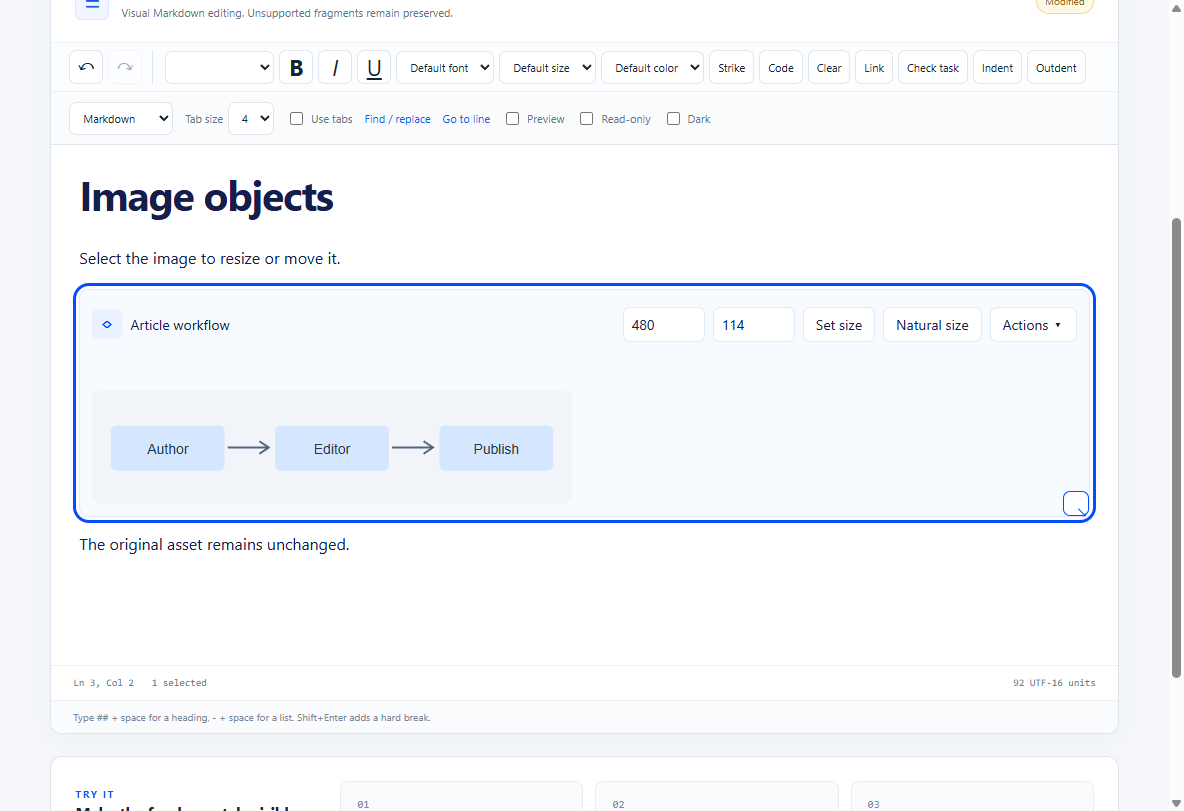
Click an image to select the object and show its outline/resize handle. This works for URL references and imported attachments, including unavailable images. Copy offers HTML with the reference, alt text and display dimensions; the plain-text fallback contains image source syntax. Cut/Delete remove the object and undo restores it. The editor does not fetch image bytes to place on the clipboard; the host owns those assets.
Drag an image before/after another block to move its existing identity, reference, size and attached comments. The blue insertion line shows the target; dragging near the viewport edge scrolls. Alt+Up/Down moves a selected image by one block. Dropping at its original location does nothing. Source view retains literal editable image syntax.
Drag the corner handle to preview a resize; releasing commits one undoable/tracked display-size change. Escape or pointer cancellation restores the previous size. Aspect ratio stays locked by default. A host may set unlockImageAspectRatio: true to allow Shift-dragging with independent dimensions. Numeric Width/Height controls and Set size provide keyboard access; Natural size clears explicit dimensions. Resizing does not modify the underlying file. Cropping remains deferred.
editor.resizeImage(imageBlockId, 640, 360);
editor.resizeImage(imageBlockId); // clear explicit sizing
editor.moveImage(imageBlockId, targetBlockId, true); // after target
Ordinary unsized images use Markdown image syntax. Sized or linked images use escaped safe HTML, such as <img src="/___FileProxy___?mode=vstsgit&path=DevProcess/TextEditor/diagram.png" alt="Workflow" width="640" height="360">, optionally inside a safe link. Width-only/height-only imports retain their aspect semantics. Sizes are positive integer pixels up to 100,000. Strict Markdown/HTML-disabled policies reject newly introduced dimensions rather than losing them; enable embedded HTML or clear sizing to save such content. Only supported attributes are imported; active HTML is never enabled by image support.
Review in either view
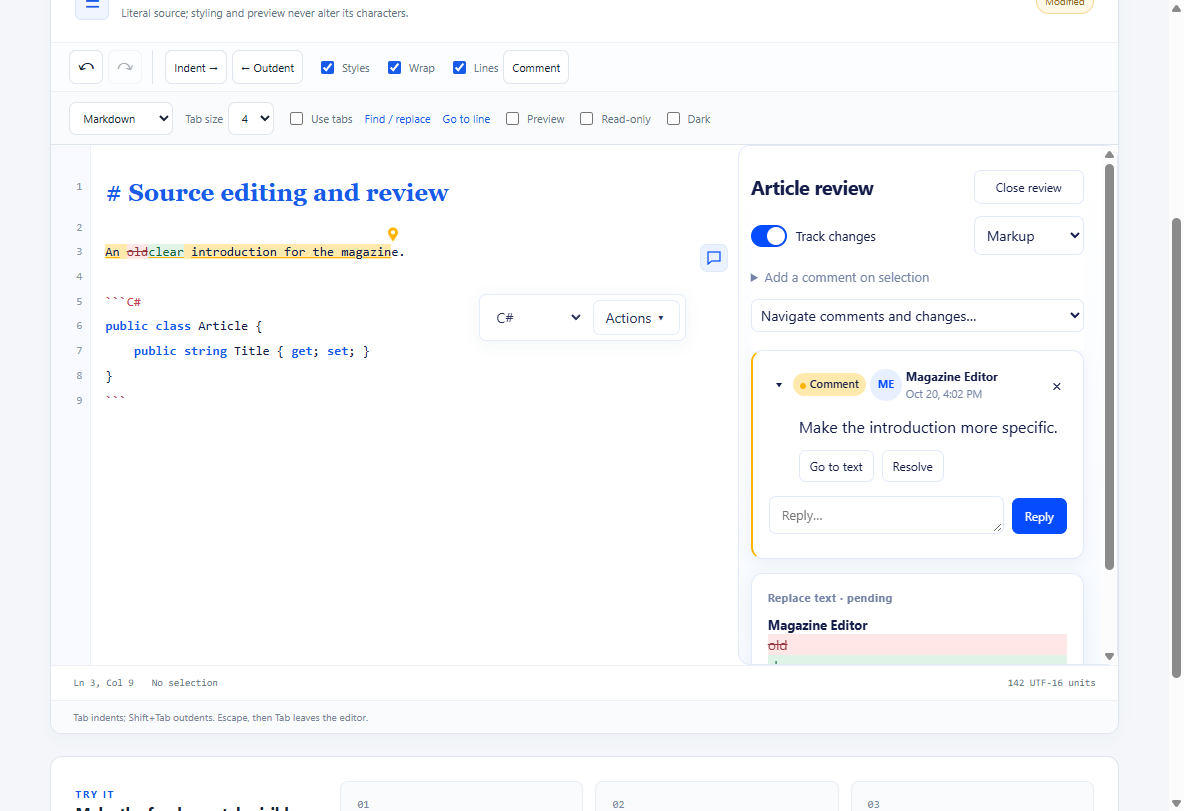
Comment highlights, point markers for hidden syntax, inserted text and deleted-text decorations work in Source and Visual views. Hover a highlight to read all overlapping discussions without moving the caret. Focus or click it to pin the card for reply/resolve actions. Escape, an outside click or navigation closes the transient discussion. Scrolls reposition the review margin; reply text is not part of the article.
The default review margin lists comments and changes in document order and scrolls independently of the article. Clicking a card reveals its anchored text. A dashed line connects a visible anchor to its visible card while either has hover/focus. Persistent anchor pins identify comments even without a line. Navigation lists offscreen, article-level, resolved and detached threads; selecting a live annotation reveals its text. Detached threads offer Attach to selection. Pending changes appear in Markup, with Accept/Reject controls. A narrow editor falls back to the panel. Closing review releases the wide margin; comment icons remain in a narrow strip and reopen their discussion when clicked. Documents without anchored comments reserve no icon strip. Original remains a separate read-only source projection.
editor.configureReview({ presentation: 'margin', marginWidth: 330 });
editor.showReview(true);
const annotations = editor.getReviewAnnotations();
const rectangles = editor.getReviewAnchorRects(annotations[0].id);
editor.selectReviewAnnotation(annotations[0].id);
presentation is margin or panel; marginWidth is 240–600 pixels. Margin mode needs at least its width plus 420 pixels for article text. It measures visible anchors on demand; offscreen cards are represented in navigation. Resolved discussions remain navigable in the panel. These APIs use logical annotation IDs and current viewport rectangles; clients must not persist DOM nodes or pixel coordinates.
Canonical anchor.sourceRange coordinates persist alongside the logical/block anchor. Shared model/mapping.js projects them into each editing view; review.annotations() supplies decorations and the Surface supplies current geometry. Syntax absent from Visual text becomes a point anchor, while its exact Source range remains in the sidecar. Projected ranges expose projection (source, text, point or unmapped); an unsupported exact projection stays at its related block point rather than guessing a text occurrence. Stable block identities keep image comments attached through moves. Quote/context recovery is explicit on external edits; ambiguous content needs reattachment. Highlight text, deleted-text UI, cards and connectors are excluded from native text scans, clipboard and serialization.
Resource policy and measured performance
There is no default document-length ceiling. maxDocumentLength: 0 means unlimited; a host may set a positive limit in UTF-16 model units. Rejections retain content/selection and report status. History keeps up to 100 operations and defaults to a 32 MiB estimated snapshot budget, always retaining the newest operation; historyLimitBytes: 0 removes the byte budget. This estimate is not a process-memory limit. Review metadata retains its separate documented bounds.
Atomic ranges are indexed once per model revision, unchanged flat blocks reuse their DOM, serialization is cached, inactive review skips diffing, sample inspector updates are batched, and the gutter measures visible lines. Mapping and annotation caches are separate from geometry. Full model snapshots/parsing and full-document DOM are still used; viewport virtualization is future work.
tests/web/long-document-benchmark.js exposes await CodeEditorBenchmark.run(disposableEditor). It replaces the supplied document. The October 20 WebView2 155 run on this development machine, using the shared sample with a wide review margin and 100 comments, recorded:
| Fixture | Load | One edit | Edit with tracking and 100 comments |
|---|---|---|---|
| 1,000 paragraphs, 64,888 characters | 76 ms | 19 ms | 65 ms |
| 10,000 paragraphs, 658,888 characters | 581 ms | 187 ms | 367 ms |
An 819,998-character Source fixture (10,000 lines, CRLF) loaded in 254 ms; pasting a second copy took 75 ms and retained 1,639,996 characters. Undo restored the exact input and redo restored the paste. The gutter rendered 15 visible labels. Approximate browser heap samples were 32/219 MB during the successive paragraph runs; these include live DOM, histories and uncollected allocations, not isolated document sizes. Scroll-to-frame observations were 33/30 ms. These are observations, not timing guarantees. The original 1,000-paragraph edit measured about 686 ms. Long Visual documents with active review can still have noticeable latency; measure real article structures and host callbacks on target hardware.
WinForms equivalents
editor.Options.MaxDocumentLength = 0;
editor.Options.HistoryLimitBytes = 32 * 1024 * 1024;
editor.Options.UnlockImageAspectRatio = false;
await editor.ConfigureExtensionsAsync(new(ToolbarPlacement: "top",
    ToolbarPlacements: new() { ["image"] = "bottom" }));
await editor.ConfigureReviewAsync(new(Presentation: "margin", MarginWidth: 330));
await editor.ResizeImageAsync(imageBlockId, 640, 360);
await editor.MoveImageAsync(imageBlockId, targetBlockId, after: true);
var annotations = await editor.GetReviewAnnotationsAsync();
ReviewAnchorRect[] rects = await editor.GetReviewAnchorRectsAsync(commentId);
await editor.SelectReviewAnnotationAsync(commentId);
EditorLanguage also exposes CSharp, TypeScript, Python, Json and Css. CopyAsync now publishes Unicode plain text and a UTF-8-offset Windows HTML clipboard envelope; PasteAsync offers both representations to the editor. Source mode uses the literal text representation. Native clipboard availability still depends on the Windows session; simulated DOM clipboard checks cannot prove external application interoperability.
Review cards now have polished defaults, author/time hierarchy and gutter bubble toggles. Connectors route above text through clear whitespace with a gutter-only fallback. The component exposes per-instance themes for the surface and its portals. See UI styling and comment bubbles for CSS variables/classes, browser/WinForms APIs and the two-editor showcase.