
Olympus deployment: overview
Olympus deployment gives each Windows user a stable way to install, open, and update Olympus. A branded setup installs the launcher and the background agent. The actual Olympus application is downloaded separately, verified, and kept in versioned directories. Users continue opening the same shortcut as the application changes underneath it.
This documentation describes the implementation in the Olympus Launcher repository, reviewed on October 21, 2026. The main Olympus application and the configuration service are maintained in separate solutions. Requirements for those systems are identified explicitly; their integration is not implied by a successful launcher build.
Documentation map
| Page | Audience and purpose |
|---|---|
| Build and release | Step-by-step instructions for a new launcher/agent release, publishing binaries, building both setup variants, Visual Studio commands, signing, and release checks. |
| Architecture and implementation | Components, installation layout, update and launch flow, state, locking, rollback, and source-code map. |
| Olympus application integration | Required taskbar identity, stable relaunch target, environment variables, named-pipe protocol, and safe update/restart behavior. |
| Deployment service contract | Current HTTP request, JSON response, version rules, package requirements, caching, and policy semantics. |
| Operations and troubleshooting | Logs, common failures, local testing, repair/uninstall behavior, and the installed-machine test matrix. |
| Maintaining and importing these docs | Lorekeeper handover, image provenance, refresh instructions, and remaining production work. |
The user experience
Setup
Distribute the matching OlympusSetup EXE for x64 or ARM64 Windows. It contains the MSI and supplies the branded welcome, progress, maintenance, success, and failure screens. Setup installs for the current Windows account, creates the Start menu shortcut and olympus:// registration, and enables the agent at sign-in.
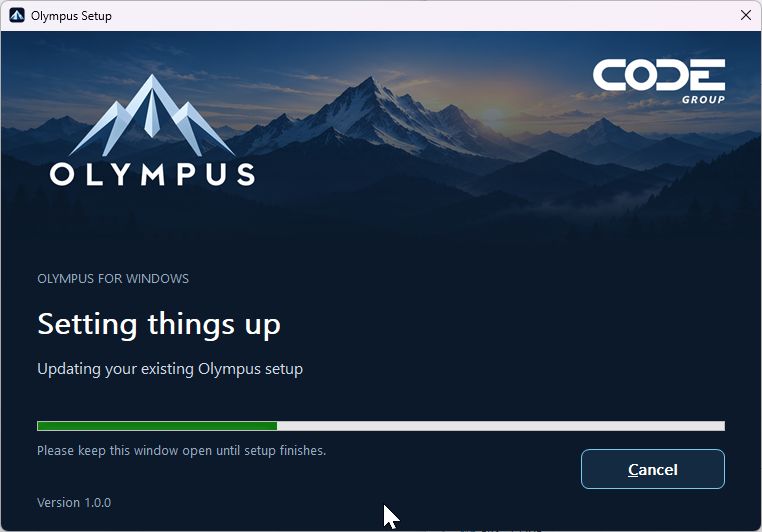
Actual screenshot of the ARM64 setup progress screen, captured October 21, 2026. Capturing this screen does not establish that the installation or upgrade completed successfully. The setup uses native WiX window chrome; the launcher below is the borderless WinForms window.
Launcher
Opening Olympus shows the launcher's mountain artwork and live status. A real package download displays transferred bytes and a progress bar; transfers with an unknown total show indeterminate progress. The launcher checks for updates on each fresh application launch, even when an application version is already installed.
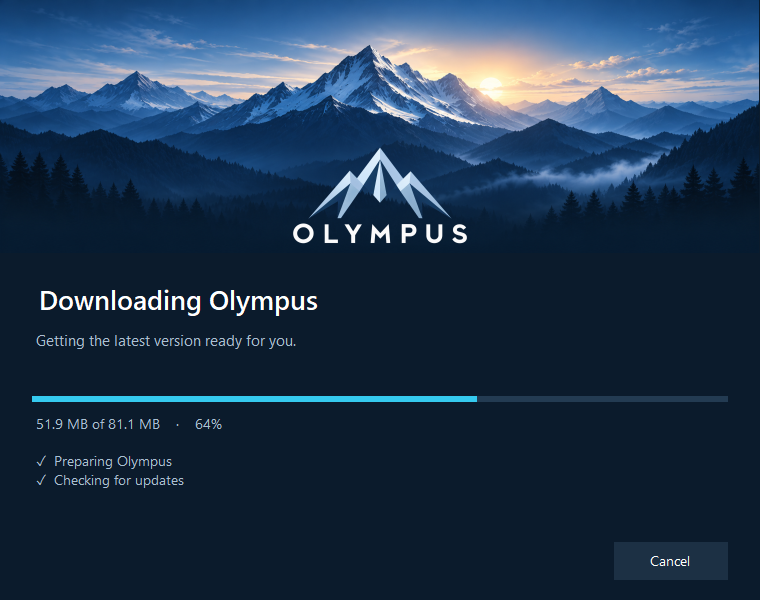
The real launcher form rendered with simulated download progress for documentation. The byte counts and percentage are examples, not a production transfer.
The splash hides as soon as Olympus exposes its main window. Closing Olympus after that does not reopen the splash or count as a failed startup. A startup error leaves a readable explanation and Retry, Copy diagnostics, and Open logs actions.
The five projects
| Project | Responsibility | Distributed result |
|---|---|---|
Olympus.Launcher |
Stable Windows entry point, startup UI, foreground update check, existing-instance forwarding, validation, launch, and startup rollback. | Olympus.Launcher.exe |
Olympus.Agent |
Per-user background update polling and notifications to running Olympus instances. | Olympus.Agent.exe |
Olympus.Deployment.Core |
Shared transport, manifest and state models, package validation, storage, policy, prerequisites, and IPC. | Included in published launcher/agent payloads. |
Olympus.Installer |
WiX MSI authoring: files, shortcut, registry, upgrades, repair, and uninstall. | Olympus-<version>-<cpu>.msi |
Olympus.Setup |
Branded native WiX Burn user interface wrapping the MSI. | OlympusSetup-<version>-<cpu>.exe |
tests is a dependency-free executable test suite. samples/DummyOlympus is an integration fixture, not the real Olympus application.
Two release paths
Bootstrap release: changing the launcher, agent, shared deployment implementation, or installer requires a new bootstrap/setup release. Build and distribute new setup files. The launcher and agent do not replace themselves automatically.
Olympus application release: publish an immutable Olympus ZIP and its deployment metadata through the configuration service. The agent or launcher downloads the application package. An application update does not require rebuilding the setup unless it also needs newer bootstrap tools.
There are two setup variants, x64 and ARM64, selected for the Windows OS architecture. The bootstrap release number is independent of the Olympus application release number. See versioning and build steps.
Stable installation and identity
The installation root is %LocalAppData%\Olympus. The launcher and agent have stable paths; application payloads live beneath Versions\<version>. Data is kept separately in Data. Uninstall preserves downloaded application versions, data, logs, and deployment state.
The Windows taskbar identity is permanently EPS.Olympus, across versions and architectures. The launcher sets it, and the installer puts it on the Start menu shortcut. The real Olympus application must also call SetCurrentProcessExplicitAppUserModelID("EPS.Olympus") before creating UI. Environment variables alone do not set the child process's identity. The CODE Group display branding does not change this established compatibility identifier. See the application integration guide.
Current boundaries
The implemented safeguards include package hashing, immutable version directories, launch-time receipt verification, compatibility-checked fallback, and blocking a release only after three consecutive confirmed early process failures. Update deadlines never authorize killing unsaved work.
Release signing, native-machine installation/upgrade testing, live service validation, and real Olympus taskbar/IPC/data integration must be verified before production distribution. The build script produces unsigned artifacts unless a separate signing pipeline is added. Details and evidence boundaries are in maintenance and handover.