Calendar Sync
The calendar of events in Olympus can be synced to calendar apps, such as Outlook, Google Calendar, or Apple Calendar.
There are different versions of the calendar that can be synced:
- The CODE Internal version, which includes events that are not yet announced. This can be added through the following public URL:
https://office.codegroup.io/Calendar/Internal - The CODE Public version, which only includes events that have been announced and are visible on the web site (private events are also hidden). This can be added through the following public URL:
https://office.codegroup.io/Calendar/Public
Both versions do not show “Other World Events”. In other words: They only show events that are actual events either we, or a third party puts on in the software space. Also, concepts like “holidays” or “bad days” are not synced. (Those are not real events as far as our systems are concerned. These are attributes of a day. This is a concept other calendar apps do not support.)
Note: It is possible to add both types of calendars. Note however that calendar apps like Outlook do not have a meaningful concept of filtering events by type, brand, or some other criteria. Some calendar apps will show correct “accent colors” for events, but most do not (even though that data is in the sync stream, but most calendar apps support only very limited colors). The same is true for categories (which we also pass, but it's usually ignored).
Outlook Calendar Sync
Depending on the version of Outlook you are using, synching a calendar works slightly different, but either way, once it is set up, the calendar shows up in all versions of Outlook you use.
Note: There is a delay in syncing depending on what Outlook decides to do. We indicate in our stream asks for a cache-limit of 10 minutes, but Outlook often decides to cache for much longer.
Old Outlook
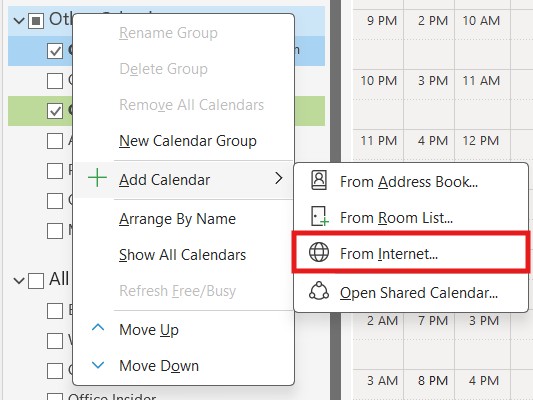
To add a calendar to Outlook, open the Calendar view, right-click on the list of calendars, and choose to add a calendar from the internet. This calendar will then stay synced with our event calendar.
New Outlook
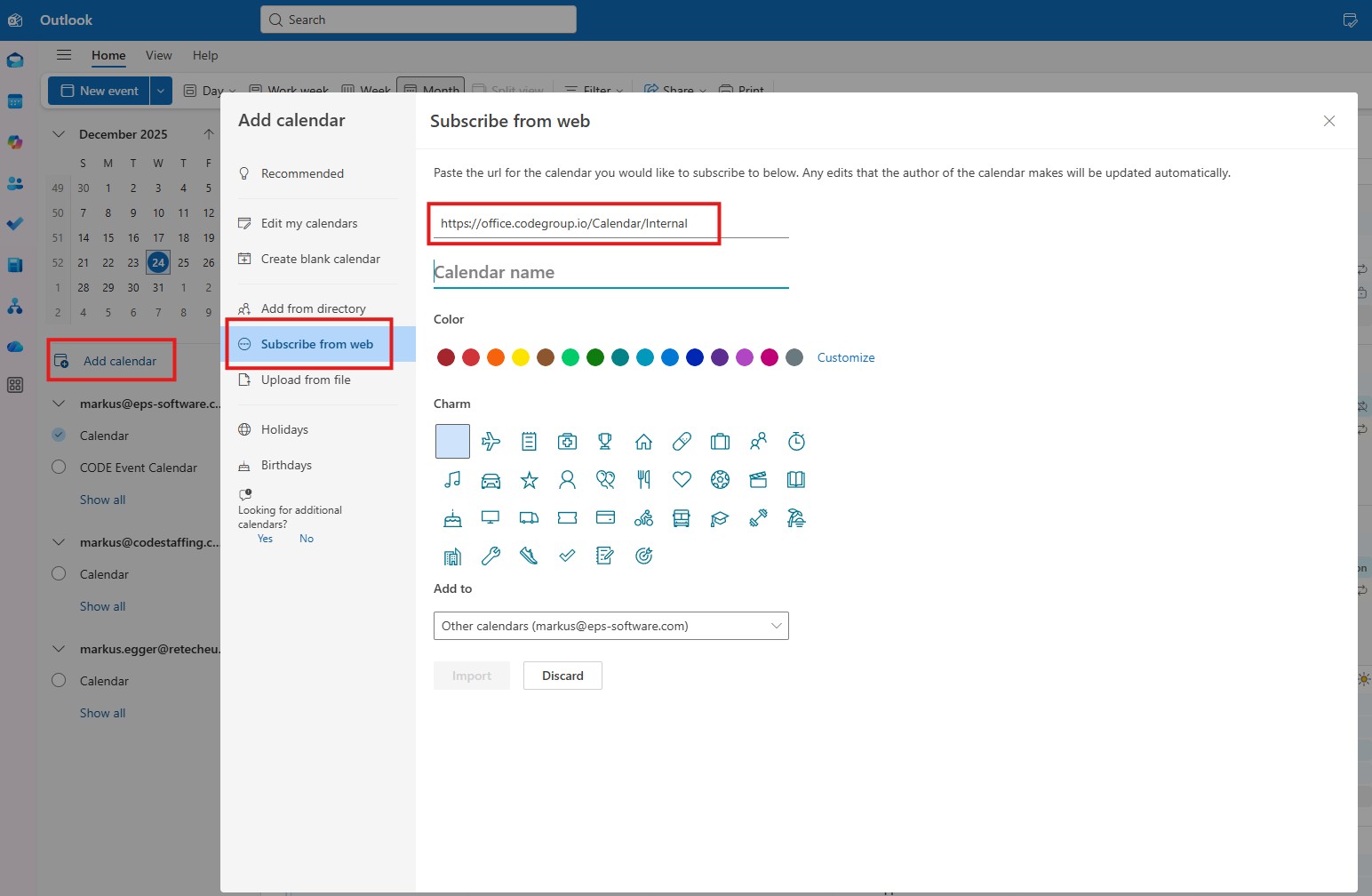
In the “New Outlook” desktop application, subscribing to a calendar works slightly different. While internally, the same subscription/sync is set up, one can/must set different settings during the subscription process, including having to pick your own calendar name: